



Game Version 1.60.1.70450
WoW: Forever
Update available: 3.4.0 → 3.5.0
3 Voice PacksDE
2 Voice Pack Updates
UpdateVoice Packs

Quest dialogue, NPC greetings, zone lore and in-world books, voiced in ten languages with subtitles on screen. Spoken is a free addon for WoW: Forever and Classic Era.
The Spoken Manager runs on Windows, macOS and Linux.
Works with


Eagan Peltskinner
Wolves Across the Border
I hate those nasty timber wolves! But I sure like eating.
Four parts, each with its own on/off switch in the settings. Pick one to see what it does.

MuglashVorsha the Lasher
Are you sure that you are ready? If we do not have a group of your allies to aid us, we will surely fail.
Quest givers speak the accept and completion text when you open a quest.
Show the words as subtitles, in a small window or in a large one. Words can be highlighted as they are spoken. Every line has Stop and Replay.
English, German, Spanish (Spain and Latin America), French, Portuguese, Russian, Korean and both Chinese scripts. Italian is made by the community.
If a line has a wrong word or voice, the Report button sends it to the people who correct it. The fix comes in an update.
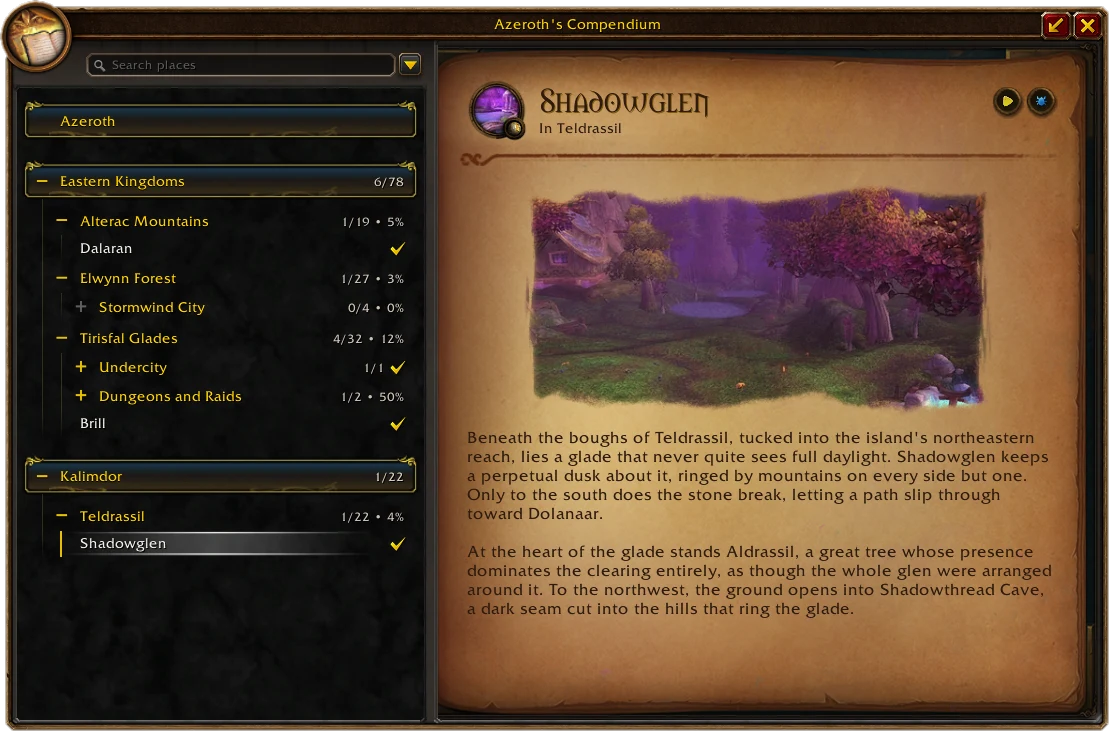
Every quest, place story, readable and boss story in one window, with a search box. Play any of them without going there.
 Quests
 Places
 Readables
 Bosses
A desktop app for Windows, macOS and Linux. It installs and updates Spoken and its voice packs for every WoW install on your computer. An update downloads only the files that changed, not the whole pack again.
Windows .exe, macOS .dmg or Linux .AppImage, from the GitHub release page.
Choose one. Each installs Spoken and the voice packs for your language. Restart the game afterwards.
Download the Manager, open it and press Install. It finds your game folder, installs Spoken and the voice packs for the languages you pick, and updates them when a new version comes out. An update downloads only the files that changed, so a new recording does not mean downloading the whole pack again.
Other files are on the release page (opens in a new tab). If Windows SmartScreen stops the installer, choose More info, then Run anyway.
For Italian, choose the language under Voice Language in Spoken's settings.
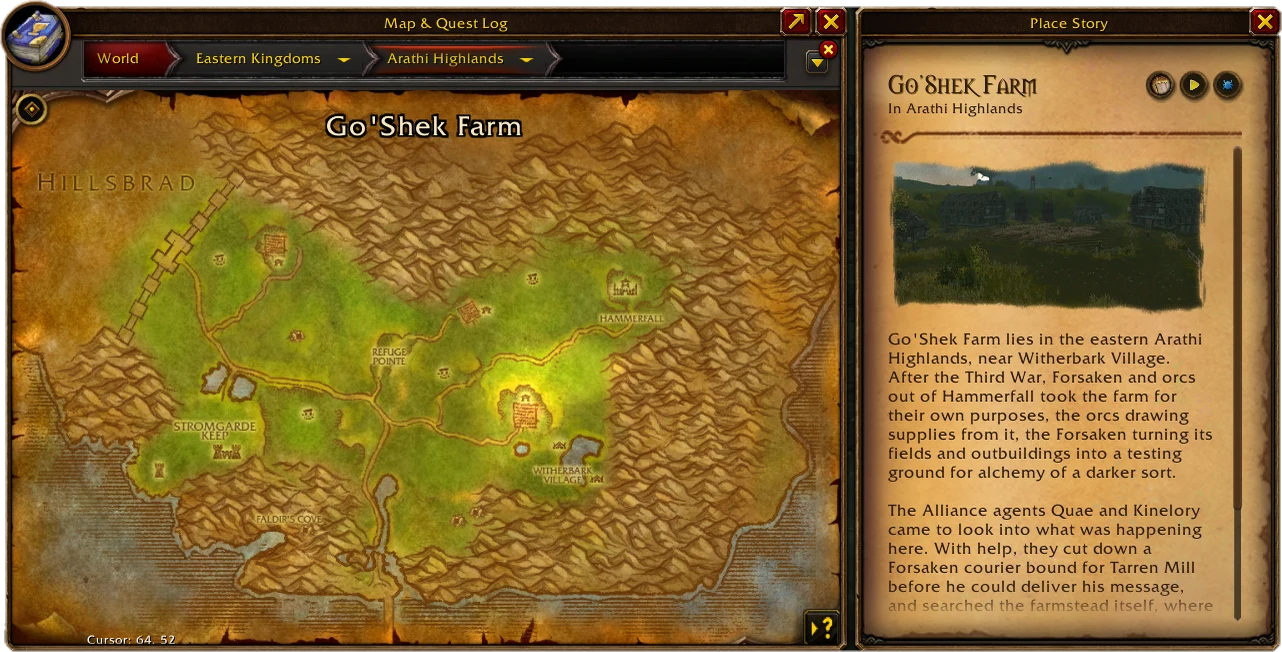
Spoken follows your game's language and works alongside the addons that change how quests look.
Menus and settings follow the game's text language. The language you hear is a separate choice, Voice Language, and plays once its voice pack is installed. Italian is made by the community.


WoW: Forever and Classic Era. On the 1.12 and 3.3.5 clients Spoken starts in the Large Window, and 3.3.5 can switch to subtitles.
Every voice in Spoken starts as a line a player sent in. Backstage is where the team takes it from there.
What you can change depends on your role in each language. Without an account you can still browse the lines and upload the lines you collected.
Forever keeps adding quests and NPCs. Spoken learns the new text from players.
Sharing is optional. Turn it on in the Manager and Spoken sends the quest and NPC text it has no voice for, so it can be recorded.
Another narrator, a missing language or fixes to an official pack. Packs are listed on the Manager's Community page.
Help, bug reports and ideas have their own channels on Discord, in every language Spoken supports.
Join the Discord (opens in a new tab)